
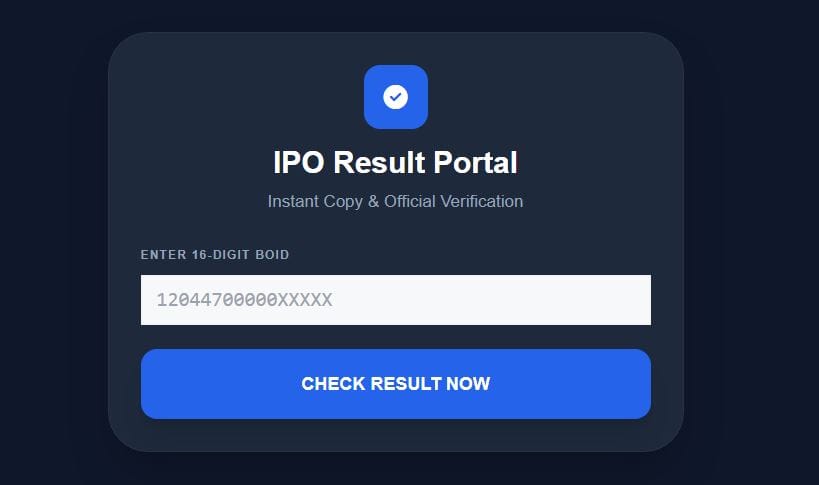
IPO Result Portal
Instant Copy & Official Verification
How to Use?
1. Type your 16-digit Demat number in the box above.
2. Click ‘Check Result’ – the number will be auto-copied.
3. Paste it on the official portal and check your status.
Key Features
Secure: We do not store your BOID. Your data is 100% private.
Time Saving: No need to type 16 digits again and again.
Official: Results are fetched directly from CDSC servers.
IPO Result Check Nepal is the official way to know whether you have received IPO shares or not. If you have recently applied for an IPO and want to check your allotment status, this complete step-by-step guide will help you quickly and safely.
In this article, you will learn how to check IPO result from CDSC, how to use MeroShare, what BOID number means, and what happens if you do not receive shares.
IPO Result Check Nepal – Quick Answer
To do IPO Result Check Nepal, follow these steps:
- Visit https://iporesult.cdsc.com.np
- Select the IPO company name
- Enter your 16-digit BOID number
- Complete the captcha verification
- Click “View Result”
You will instantly see whether CDSC allotted shares to you or not.
What is IPO Result?
IPO result shows whether you received shares after applying for an Initial Public Offering (IPO).
After the subscription period closes, CDSC verifies all applications carefully. If the IPO receives more applications than available shares, CDSC conducts a computerized lottery system. As a result, only selected applicants receive shares.
Therefore, every investor must check the official IPO result portal to confirm allotment status.
How to Do IPO Result Check Nepal via CDSC Portal
The most reliable method for IPO Result Check Nepal is the official CDSC IPO Result portal.
Step-by-Step Process
First, open the official CDSC IPO Result website.
Next, choose the company name from the dropdown menu.
Then, enter your correct 16-digit BOID number.
After that, complete the captcha verification.
Finally, click on “View Result” to see your IPO allotment status.
CDSC publishes results only after completing the verification and lottery process. Therefore, always use the official website.
IPO Result Check Nepal from MeroShare
You can also complete IPO Result Check Nepal through MeroShare if you applied from there.
Steps to Check via MeroShare:
First, visit https://meroshare.cdsc.com.np and log in.
Then, click on “My ASBA.”
Next, open “Application Report.”
After that, select the IPO company name.
Finally, check your allotment status.
MeroShare shows both your application details and final result. However, if the system runs slow due to heavy traffic, wait a few minutes and try again.
What is BOID Number?
BOID stands for Beneficiary Owner Identification Number. It is a unique 16-digit Demat account number.
You must enter your BOID number to complete IPO Result Check Nepal.
You can find your BOID:
- Inside your MeroShare account
- From your Demat account provider
- From your broker or capital company
Without a correct BOID number, the system will not show your result.
IPO Result Status Meaning
When you complete IPO Result Check Nepal, you may see one of these results:
1. Allotted
CDSC has successfully allotted shares to you.
2. Not Allotted
You did not receive shares in this IPO.
3. Partial Allotment
You received fewer shares than you applied for.
4. Refund Processed
The bank has already released your blocked amount.
Each status clearly explains your application outcome.
When Does CDSC Publish IPO Result in Nepal?
Usually, CDSC publishes IPO results within 3 to 7 days after the closing date.
First, the IPO subscription period closes.
Then, CDSC verifies all applications.
After that, CDSC conducts a lottery if necessary.
Finally, CDSC publishes the official allotment result.
As a result, investors can check their IPO status online.
What Happens If IPO Is Not Allotted?
If you do not receive shares, do not worry.
First, the bank automatically releases your blocked amount.
Second, you do not pay any penalty.
Finally, you can apply for the next IPO without any issue.
Therefore, the IPO system in Nepal remains transparent and investor-friendly.
Common Problems During IPO Result Check Nepal
Website Not Opening
Sometimes heavy traffic slows down the CDSC server. In that case, wait a few minutes and try again.
BOID Number Error
Make sure you enter the correct 16-digit BOID number without spaces.
Result Not Published Yet
If CDSC has not published the result, you must wait for the official announcement.
IPO Result Check Nepal Today – Latest Updates
Many investors search for “IPO Result Check Nepal Today.” However, you should always verify results from official sources only.
Use:
- CDSC IPO Result portal
- MeroShare official website
- Company allotment notices
Moreover, checking official portals ensures accuracy and security.
Why IPO Result Check Nepal is Important
IPO Result Check Nepal helps investors confirm share ownership. In addition, it allows proper financial planning. Furthermore, investors can prepare for stock listing in the secondary market.
Therefore, checking IPO results immediately after publication is essential.
Frequently Asked Questions (FAQ)
How can I do IPO Result Check Nepal?
You can visit the CDSC IPO Result portal and enter your 16-digit BOID number to check your allotment status.
Can I check IPO result without BOID?
No. You must enter your correct BOID number to see your result.
How long does IPO result take?
CDSC usually publishes IPO results within 3 to 7 days after closing.
What if IPO is oversubscribed?
CDSC conducts a computerized lottery system to distribute shares fairly.
Can I check IPO result from MeroShare?
Yes. Log in to MeroShare and open My ASBA to check your status.
Final Conclusion
IPO Result Check Nepal is simple and fast when you follow the correct steps. First, keep your BOID number ready. Next, visit the official CDSC IPO Result portal. Finally, check your allotment status safely.
Always rely on official sources to avoid incorrect information. Bookmark this page to stay updated with the latest IPO results in Nepal.